Stop Guessing Which Marketing Actually Works
Half your marketing budget works and half does not — the problem is nobody can tell you which half. Proper tracking answers that question with data, and it is the cheapest intervention available in any marketing account.
- Every conversion verified live
- Server-side tracking included
- One dashboard, plain English
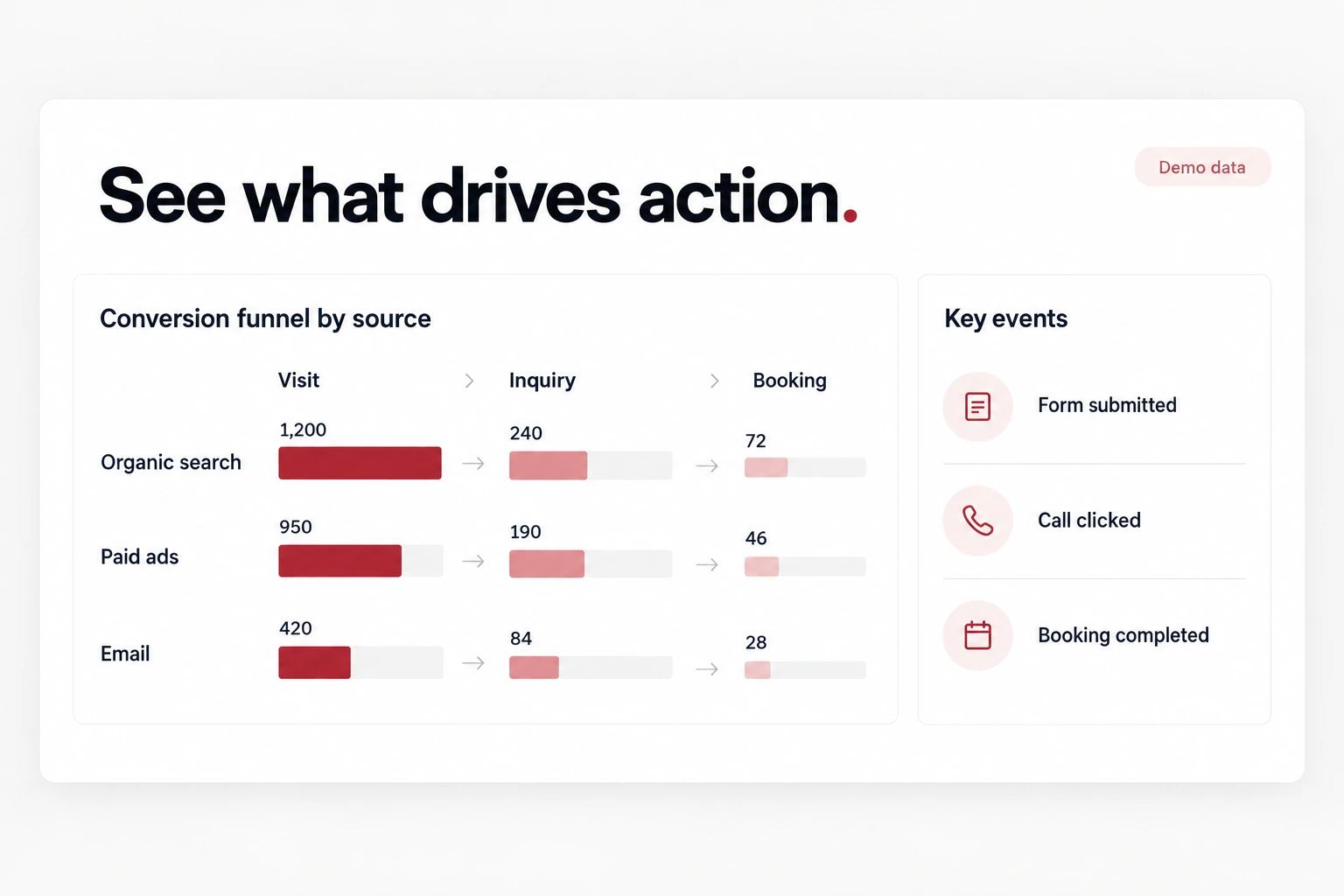
If any of this is true right now, this page is for you
Your numbers do not agree
Google says forty conversions, Meta says sixty, your CRM says twelve. Nobody trusts any of it, so decisions get made on gut feel.
Phone calls are invisible
Most of your enquiries come by phone or WhatsApp and none of them are tracked, so your best channel looks like your worst in the reports.
GA4 is incomprehensible
You open it, cannot find what you need, and close it. The data exists and it might as well not.
Conversion Tracking & Analytics, delivered properly
Not a vague scope and a surprise invoice. This is exactly what is produced and handed over.
GA4 Done Properly
Configured with real conversion events, correct attribution settings, spam filtering and internal traffic excluded — not the default install that measures almost nothing useful.
Tag Manager Setup
A clean Google Tag Manager container with every pixel and event in one place, so new tracking takes minutes and never requires a developer.
Server-Side Tracking
Meta Conversions API and Google Enhanced Conversions, which recover the conversion data that browser-only tracking has lost since iOS privacy changes.
Call & WhatsApp Tracking
Click-to-call, WhatsApp clicks and form submissions tracked as real conversions, so your offline-heavy enquiry flow finally appears in the data.
Cross-Platform Reconciliation
A single agreed definition of a conversion applied everywhere, so Google, Meta and your CRM finally tell a consistent story.
A Dashboard You Read
One Looker Studio report showing enquiries by source, cost per enquiry and revenue by channel, in plain English, emailed monthly.
No hidden extras
Everything listed here is part of the base engagement — not an upsell discovered halfway through the project.
- Tracking audit of current setup
- GA4 configuration & events
- Google Tag Manager container
- Meta pixel & Conversions API
- Google Ads conversion import
- Call & WhatsApp click tracking
- Looker Studio dashboard
- Walkthrough & documentation
Four steps, no mystery
You always know what stage we are at, what is next, and what I need from you.
Audit what exists
Every tag, pixel and event currently firing, what is broken, what is duplicated, and what is missing entirely.
Define a conversion
One agreed definition of a lead and a sale, used identically across every platform. Most reporting conflicts come from skipping this.
Implement & verify
Tags built in Tag Manager, server-side tracking connected, and every event tested with live submissions until it appears correctly in each platform.
Report & train
A dashboard built, a walkthrough recorded, and documentation handed over so your team can maintain it.
A closer look at the service
A visual example of the service. Actual project samples are available during your consultation.
What makes this different
Verified, not just installed
I fire real conversions and confirm they land in every platform. A large share of accounts I audit have tracking that silently never worked.
Offline enquiries counted
Calls and WhatsApp are how most Indian businesses actually receive enquiries, and most setups ignore both entirely.
One dashboard, no jargon
A report you will actually open, answering what you spent and what it produced.
Everything documented
You get the documentation and the logins. No dependence on me to understand your own data.
Pick the scope that fits
Every project is quoted after a short conversation, so you pay for the scope you need and nothing you do not.
Tracking Audit
Best for: Finding what is broken
- Full tracking audit
- Gap & error report
- Prioritised fix list
- Walkthrough call
Full Setup
Best for: Getting it right once
- Everything in Tracking Audit, implemented
- GA4, GTM & pixels
- Server-side tracking
- Looker Studio dashboard
Ongoing Analytics
Best for: Active marketing accounts
- Everything in Full Setup
- Monthly reporting & insights
- New campaign tracking
- Quarterly review
Not sure which fits? Tell me the problem on a free 30-minute call and I will tell you the smallest thing that solves it.
What you should actually end up with
One number everyone agrees on
Phone enquiries finally visible
Ad platforms optimising on real data
Budget decisions made on evidence
Answered honestly
Yes — Universal Analytics stopped collecting data and GA4 is the only Google analytics platform now. More importantly, Google Ads optimisation depends on the conversion data flowing through it.
Click-to-call taps on mobile, yes, straightforwardly. True call tracking with dynamic numbers requires a paid service, which I will set up if call volume justifies the cost.
Different attribution windows and models — Meta counts view-through conversions, Google counts last click, and both count a conversion each if a user touched both. Reconciling them against one source of truth is part of this service.
Three to five working days for a standard setup including verification. Complex e-commerce or multi-domain tracking takes longer and is scoped upfront.
That is the point. One page, plain language, the four or five numbers that matter, with a recorded walkthrough. If you need a training course to read it, I built it wrong.
Often booked together
Let's talk about your project
A free 30-minute call. You describe the problem, I tell you what it takes, what it costs and whether I am the right person for it.